

Skip to content
qikfox

qikfox Antivirus

Protection that covers the whole device, not just the browser

A browser can only protect what passes through it. qikfox Antivirus reviews the files, downloads and applications already on your device, including software that arrived by email, USB drive or another browser.

What it protects
Files, downloads and applications
Platforms
Windows, macOS, Android
Scanning
Continuous and on-demand
Works with
qikfox Safe Browser downloads
01Endpoint Protection

qikfox Antivirus

Protect your device from malicious files and software.

qikfox Antivirus comes in two flavors, a standalone Windows App and embedded in qikfox Web Browser; in both versions it safeguards the entire system, not just the web downloads.
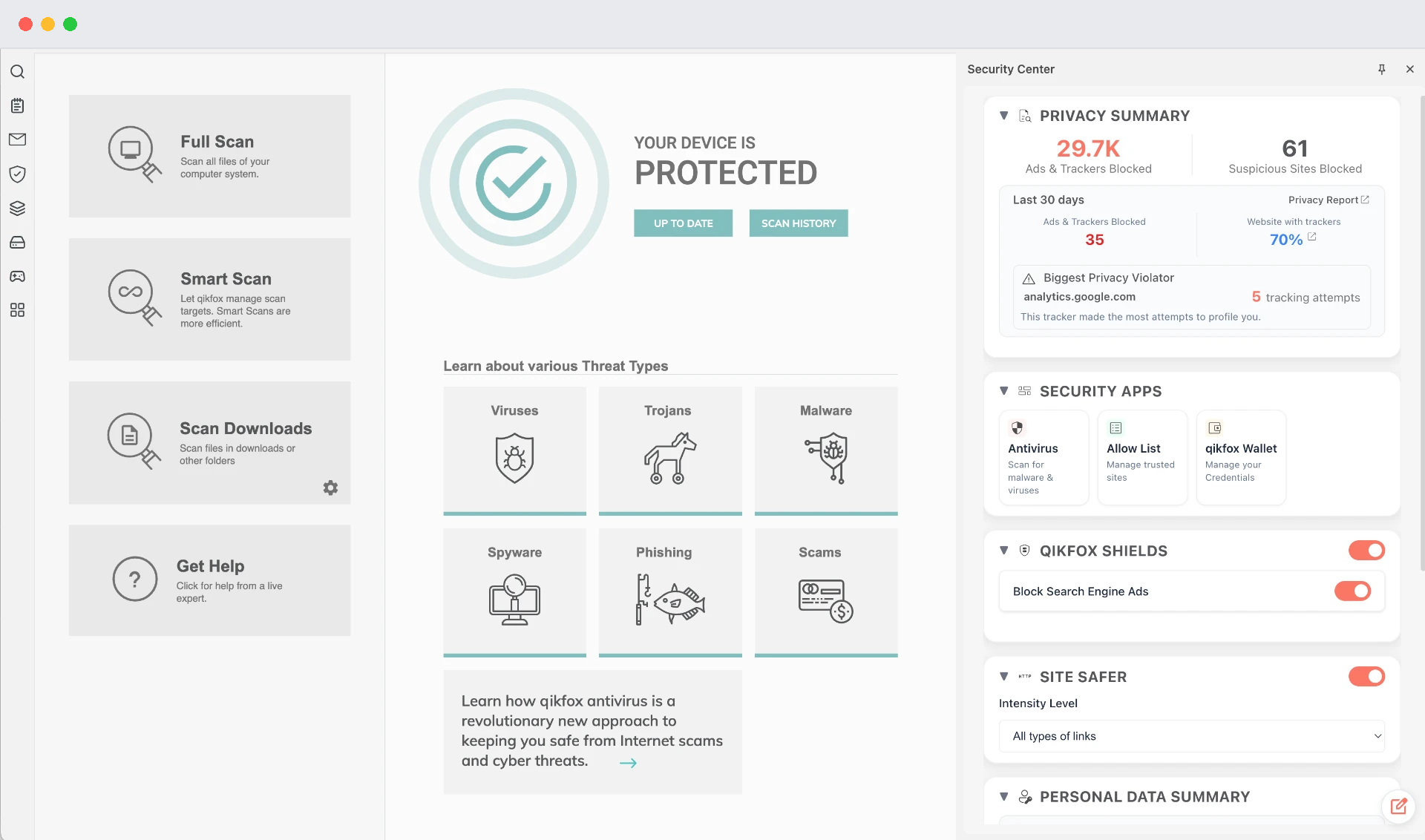
qikfox Antivirus security center showing device protected status, scan options and a privacy summary

What it covers

  • Proprietary TRACE framework protects users from Online Threats
  • Active and Smart Scans for the entire system
  • Protection that continues with browser closed
  • Active scans and threat remediation from downloads
  • Bundled Managed Service Support
Available on
Windows · macOS · Android

How it works

Three moments where a scan matters

Antivirus software is often described as a shield, which hides how it actually works. In practice it checks files at a small number of specific moments, and those moments are what determine whether something harmful gets a chance to run.

When qikfox Safe Browser is installed, downloads are handed straight to Antivirus for review, so the browser and the device-level scan share the same judgement.

When qikfox Antivirus acts

  • On arrival

    A file is reviewed when it reaches the device

  • On open

    A file is reviewed again before it runs

  • On schedule

    A full review of the device, at a time you choose

Key features

Continuous file protection

New and changed files are reviewed as they arrive on the device.

Scheduled full scans

A complete review of storage and installed applications, on your schedule.

Download review

Files from qikfox Safe Browser are handed over automatically before you open them.

Quarantine

Anything flagged is isolated so it cannot run, with the option to restore it.

Application inventory

See what is installed and when it last changed.

Update channel

Detection data and the application itself update in the background.

Readable reports

Scan results in plain language, with what was found and what was done.

Low-noise defaults

Notifications only for things that need a decision.

Removable media scanning

USB drives and external disks are reviewed when connected on desktop.

What Antivirus covers, and what it does not

Each qikfox product has a boundary. Knowing them is how you decide what you actually need.

Coverage by qikfox product. Source: qikfox product documentation.
CapabilityAntivirusSafe BrowserVPN
Files on the deviceYesDownloads onlyNo
Installed applicationsYesNoNo
Removable mediaYesNoNo
Deceptive web pagesNoYesNo
Traffic encryptionNoNoYes

Download

Install qikfox Antivirus

The standalone qikfox Antivirus app is available for Windows 10 and Windows 11, 64-bit. Antivirus also ships embedded in qikfox Safe Browser on Windows and macOS.

See all qikfox downloads

We do not publish third-party detection scores we have not produced ourselves. Independent test results, when available, are linked from the resources section.

System requirements

Windows

Windows 10 or 11, 64-bit. 4 GB RAM, 1 GB free disk space.

macOS

macOS 12 or later. Apple silicon or Intel. 1 GB free disk space.

Android

Android 9 or later.

qikfox Antivirus

Antivirus plans

Antivirus protection is part of every qikfox Plus, Premium and Ultimate plan today.

Standalone Antivirus pricing has not been published yet. Every qikfox Plus, Premium and Ultimate plan already includes Antivirus protection, so the fastest route is to pick a plan on the pricing page. If you need a separate licence for a fleet of devices, contact us and we will quote it.

What device-level protection adds

qikfox Antivirus examines files, downloads and applications on the device itself, which is a different job from anything a browser can do. Browser protection ends at the page; once a file exists on disk it is a program with your privileges, and only something running on the device can inspect it.

Why a scanner still matters

Careful habits control where files come from. They cannot tell you what is inside one. A scanner compares a file against known malicious patterns and looks at behavioural traits typical of software built to hide, persist or contact a controller - checks a person cannot perform by inspection.

It is also the layer that covers files which never touched the browser: a memory stick, a shared drive, a messaging app, an archive copied from another machine.

Honest limits of detection

Detection is strongest for known families and weakest for something written recently for a handful of targets. No scanner recognises everything, and we do not publish detection rates we did not produce or cannot cite.

What a scanner reliably provides is a check at the moment a file arrives, plus a way to review what is already installed. Combined with installing only from vendors' own sites, that removes most of the realistic risk.

If something has already been installed

The usual signs are a changed browser start page, extensions that appeared without being added, advertising in new places, and a machine that is busy while idle. Disconnect from the network, run a full scan, remove what is found, then review installed programs and extensions by date.

Afterwards, change important passwords from a device you trust. Anything typed while a machine was compromised should be treated as exposed.

Frequently asked questions

They cover different ground. The browser protects what passes through it; Antivirus protects files and applications on the device, whatever their source.

Related qikfox pages

Protect the device, not just the tab

Install qikfox Antivirus on Windows, macOS or Android and pair it with qikfox Safe Browser.