
Skip to content
qikfox

qikfox VPN

Encrypt the connection leaving your device

qikfox VPN builds an encrypted tunnel between your device and a qikfox server. Networks in between - a café, a hotel, an airport - can see that traffic is flowing, but not what it contains.

What it protects
All traffic leaving the device
Platforms
Windows, macOS, Linux, Android, iOS
IP address
Replaced by a qikfox server address
Scope
Whole device, not just the browser
01Privacy Protection

qikfox VPN

Protect your Internet connection and IP address.

qikfox VPN encrypts the connection between your device and the Internet, which matters most on networks you do not control - hotels, airports, cafés and shared offices.
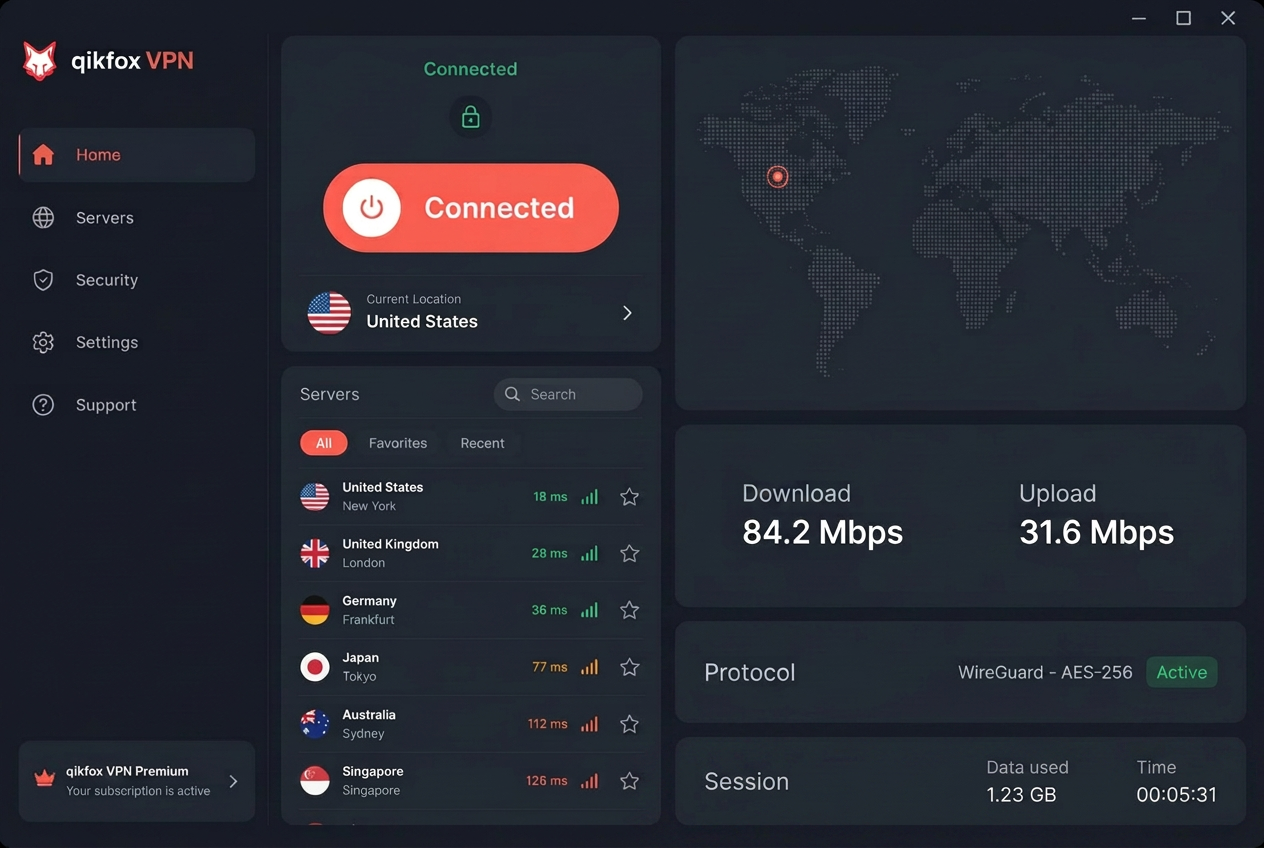
qikfox VPN app showing a connected session and a server location list

What it covers

  • 256-bit AES Encryption: military-grade encryption secures your data and traffic from hackers, ISPs and third parties
  • Zero-Activity Logs Policy: no traffic data, DNS queries or identifiable footprints are ever logged
  • IP Masking & Anonymity: conceals your real IP address to prevent tracking, ad targeting and profiling
  • Public Wi-Fi Protection: safeguards personal information and sessions on unsecured hotspots
  • Unlimited Bandwidth: uncapped data with no ISP throttling or artificial caps
Available on
Windows · macOS · Android · iOS

How it works

What a VPN actually changes

A VPN is a narrower tool than most marketing suggests. It changes who can see your traffic on the way out and what address a destination sees - nothing more. It does not stop a deceptive page from working, and it does not remove malware from a file.

For those, you want qikfox Safe Browser and qikfox Antivirus. We would rather say that clearly than imply a VPN is complete protection.

With qikfox VPN on

  • Your device

    Traffic is encrypted before it leaves

  • The local network

    Sees encrypted traffic, not its contents

  • The site you visit

    Sees a qikfox server address, not yours

Key features

Device-wide protection

Applies to all applications on the device, not only browser traffic.

Server locations

Choose a region, or let qikfox VPN select a nearby server.

Modern encryption

Traffic is encrypted using current, widely reviewed protocols.

Connect on start

Optionally connect automatically when the device starts or joins an untrusted network.

Connection status

A clear indicator of whether the tunnel is up, in the app and in qikfox Safe Browser.

Split behaviour controls

Choose which applications use the tunnel on supported platforms.

Logging

What we say about logs

"No logs" is the most repeated and least verifiable claim in this category, so we do not use it as a slogan. What qikfox VPN retains, for how long, and why is written in the privacy policy in specific terms.

Read the privacy policy and privacy at qikfox. If we publish an independent assessment, it will appear on the resources section.

Where the detail lives

  • Privacy policy

    The binding statement of what is retained

  • Privacy approach

    The principles behind those choices

  • Transparency

    What we publish about requests for data

VPN compared with the rest of the family

Coverage by qikfox product. Source: qikfox product documentation.
CapabilityVPNSafe BrowserAntivirus
Traffic encryptionYesPer-site onlyNo
Hides your IP addressYesNoNo
Covers non-browser appsYesNoYes
Blocks deceptive pagesNoYesNo
Reviews filesNoDownloads onlyYes

Download

Install qikfox VPN

The standalone qikfox VPN app is available for Windows 10 and Windows 11, 64-bit.

See all qikfox downloads

qikfox VPN

VPN plans

VPN access is part of every qikfox Plus, Premium and Ultimate plan today.

Standalone VPN pricing has not been published yet. Every qikfox Plus, Premium and Ultimate plan already includes VPN access, so the fastest route is to pick a plan on the pricing page. If you need VPN licences on their own, contact us and we will quote it.

What a VPN actually changes

qikfox VPN encrypts everything leaving the device and routes it through a server it operates, so the local network can no longer see which services you use and sites see the server's address instead of yours. It does not make you anonymous: signing in identifies you, and trackers inside a page are unaffected.

It changes who can observe you, not whether you can be identified

Encryption on the modern web already hides the contents of your connections from the network. What remains visible is the destinations - which services, when, and roughly how much data. A VPN removes that visibility from the local network by giving it a single encrypted stream to one server.

The trade is worth understanding: visibility moves from the café, hotel or operator to the VPN provider. That makes the provider's retention and access policies the thing to read, which is why we describe ours in specifics rather than as a slogan.

When it is genuinely useful

On networks you did not set up and cannot vouch for; when you would rather a network operator not build a picture of which services you use; and when a network interferes with connections or presents portals you have reason to distrust.

It is not required for basic protection of encrypted sites, and it is not a substitute for browser protection or a device scanner. Presenting it as one is how people end up feeling protected in exactly the situations where they are not.

  • Useful: untrusted networks, destination privacy, hostile network behaviour.
  • Not a fix for: page-level tracking, signed-in identification, malicious downloads.

One control, stated plainly

The interface says whether the tunnel is on and which location is in use, without an ambiguous shield. Where a connection drops, the behaviour is described rather than implied, because a VPN whose state you cannot verify provides confidence rather than protection.

Frequently asked questions

No. It changes what the local network can see and which address a destination sees. Accounts you sign in to still know who you are.

Related qikfox pages

Protect your connection on any network

Install qikfox VPN on Windows, macOS, Linux, Android or iOS.